Skip to content
muninn

A quieter place for your thoughts

Remember
what matters.

Muninn is a private journal for the moments, ideas, and patterns you want to keep close.

Muninn is currently in closed beta. An administrator reviews each registration before approving access.

Encrypted by default · Designed for reflection
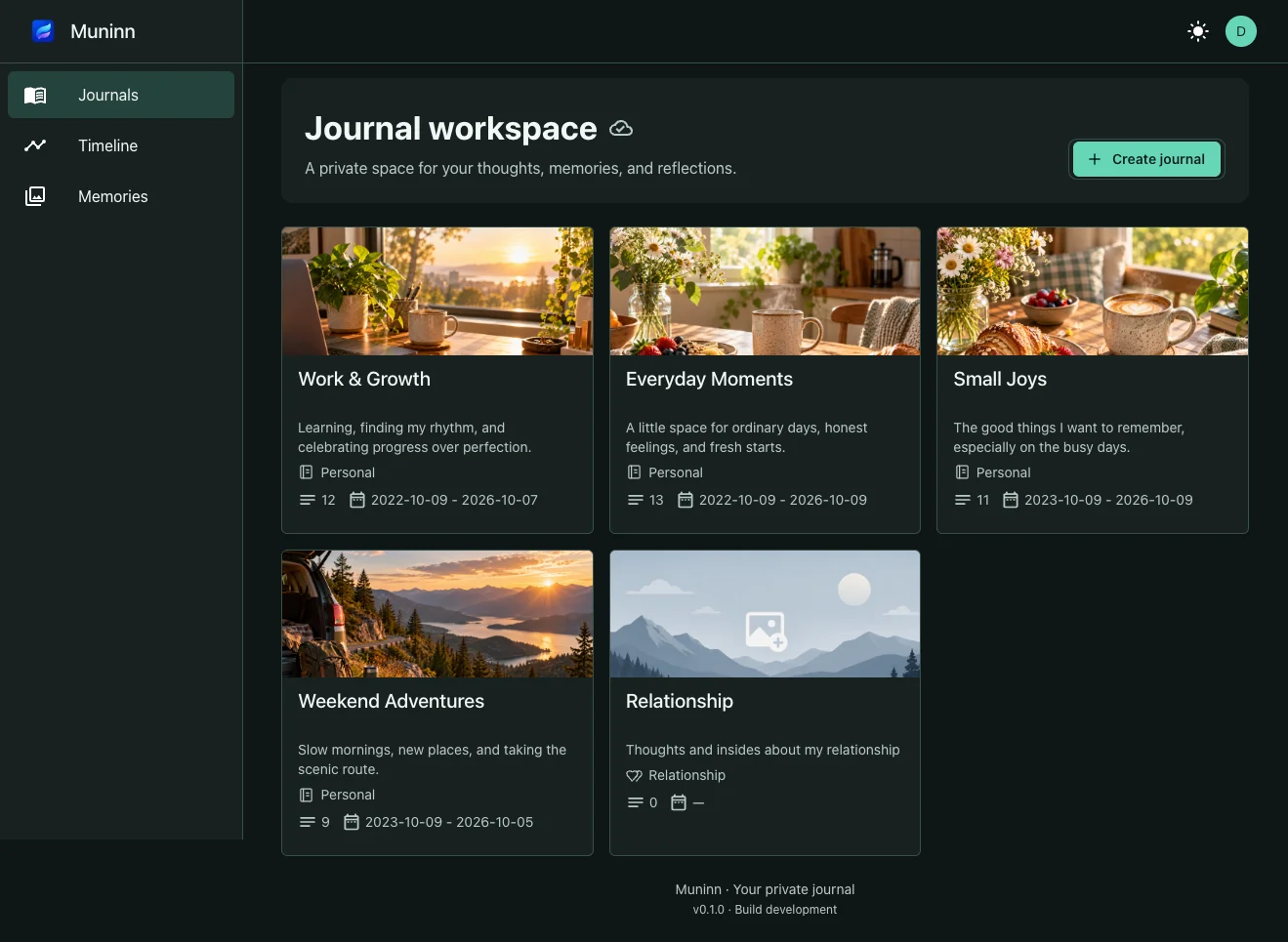
Muninn journal workspace with cover images for Work & Growth, Everyday Moments, Small Joys, and Weekend Adventures.
Your own space for every part of life. Preview from the web app.

Your inner life deserves
somewhere to land.

Not another feed. Not another system to optimize. Just a calm, considered space to notice what is happening and keep the parts you want to remember.

More than a list
of days.

Give your thoughts a home, keep the details together, and return to the moments that tell your story. Select any screenshot for a closer look.

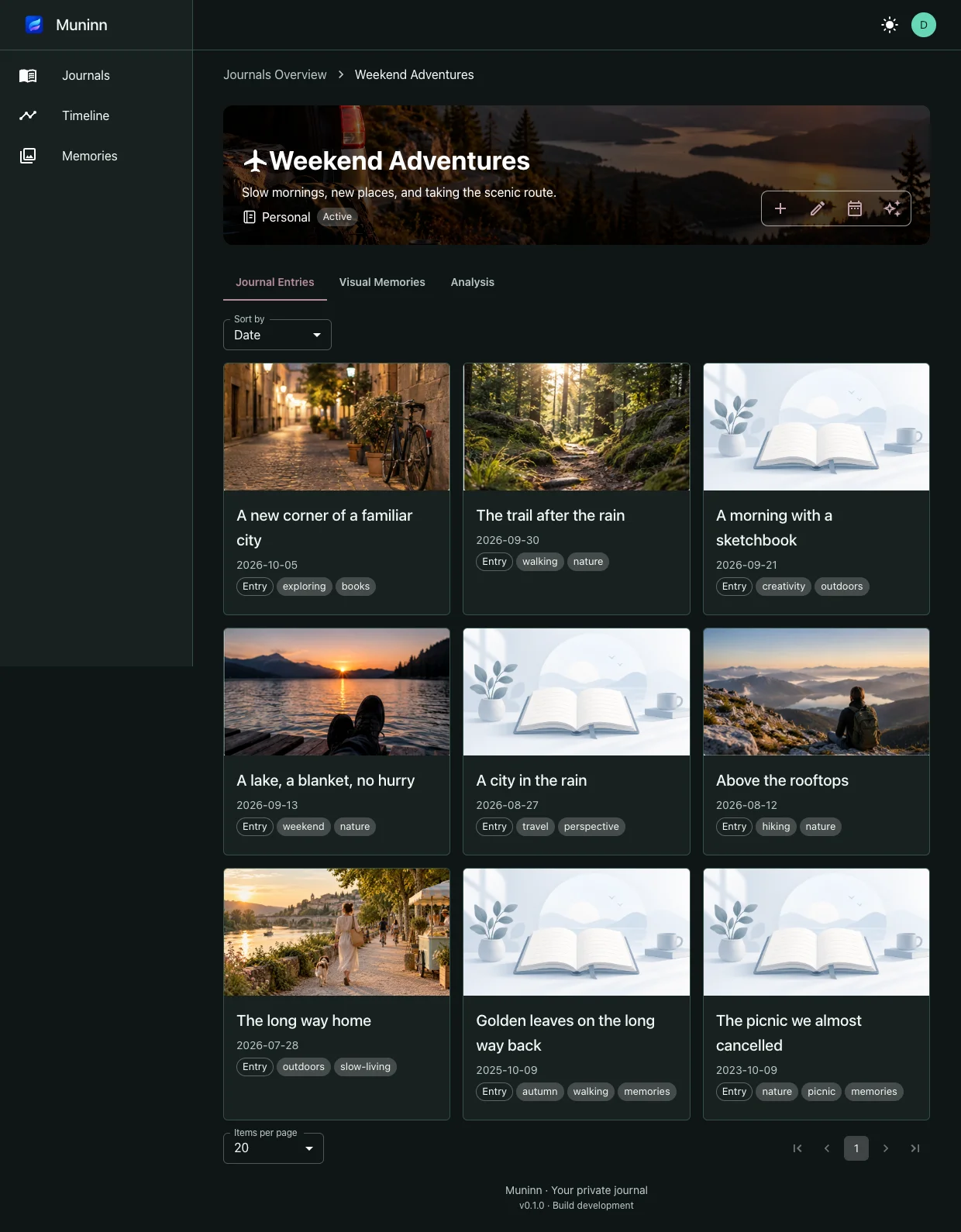
Weekend Adventures journal with dated, tagged entries and photo covers in a grid.

Small moments. A fuller story.

Create journals for different parts of your life. Give entries a cover, organize them with tags, and keep attachments and linked entries close to the words they belong to.
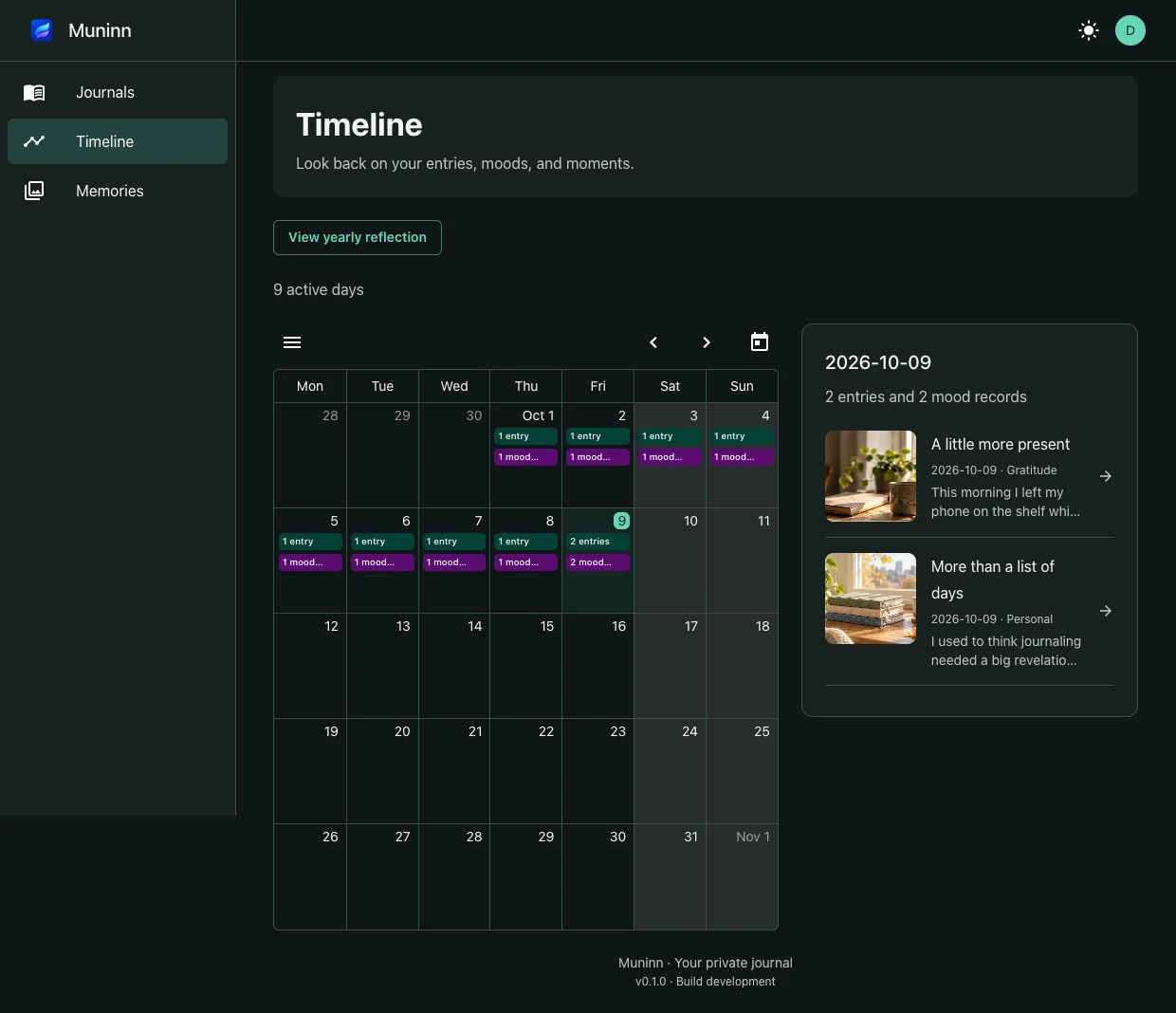
October timeline calendar showing entry and mood counts alongside the selected day’s entries.

See your days in context.

Move through your timeline and calendar to revisit entries and mood records. Select a day to return to its moments, or make time for a weekly reflection.
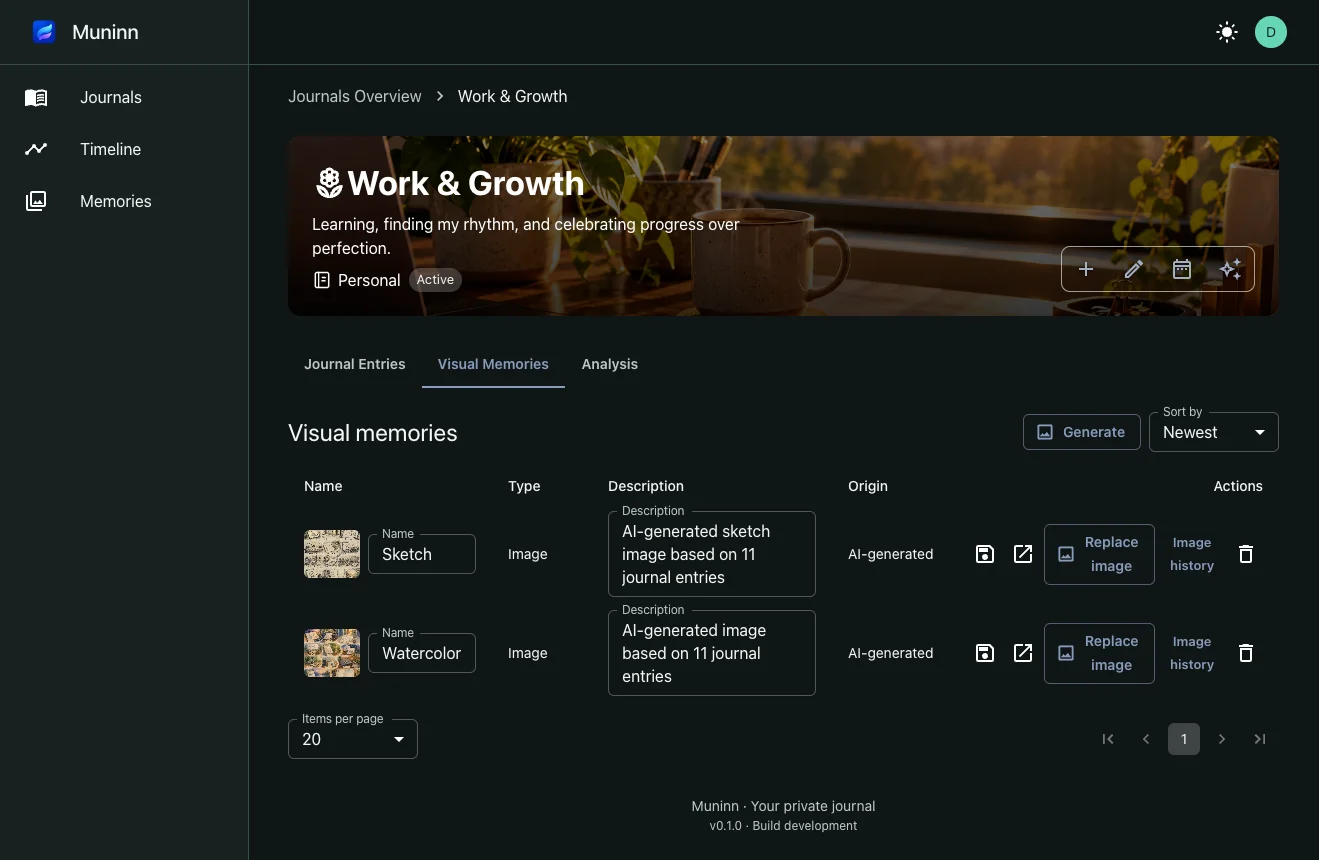
Visual memories in Work & Growth with sketch and watercolor images and image history controls.

Another way to look back.

Keep visual memories alongside your journal. Where AI is enabled, turn selected entries into an image, explore a different style, and revisit its image history.
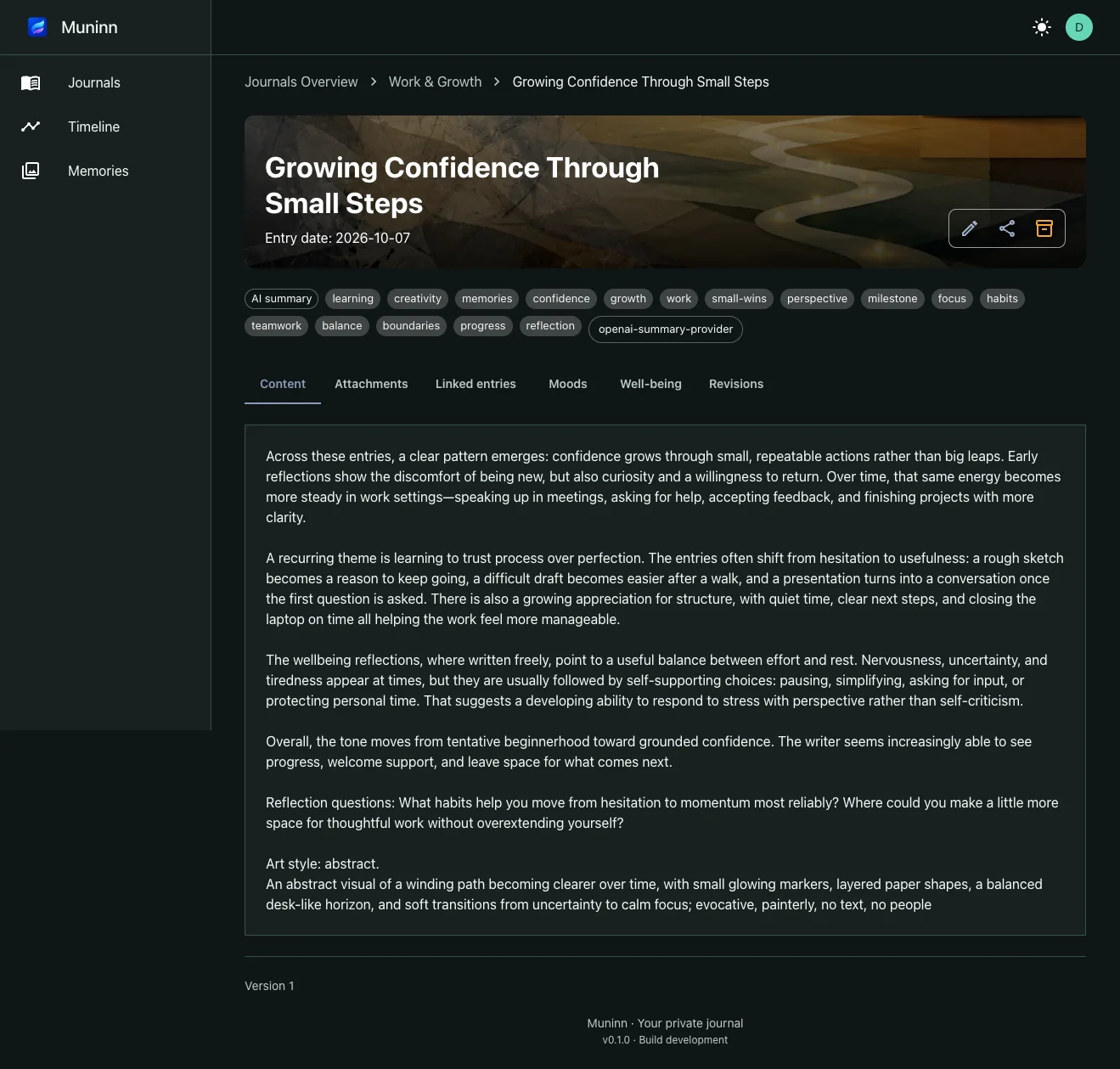
An AI summary entry titled Growing Confidence Through Small Steps, with reflection text and linked-entry tabs.

Make room for a new perspective.

Optional AI summaries bring selected entries together into a reflection you can return to. Explore recurring themes and questions at your own pace, with your consent and privacy settings in control.

Screenshots show the web app with example journals. AI features are optional, require explicit consent for plaintext processing, and depend on your settings and service availability.

Technology should make reflection feel easier, not louder.

01

Private by default

Your thoughts are yours. Muninn is built around encryption, clear consent, and quiet technology.

02

Made for real life

Write from anywhere, including offline. Your journal is ready when the moment arrives.

03

A clearer story

Return to your memories, notice patterns, and make space for what matters next.

Start with the
web journal.

Open Muninn in your browser and make a little room for what is on your mind. The web app brings journals, entries, attachments, moods, and reflection into one workspace. Native iOS and Android apps are planned.

Open the web journal

A little better,
with every update.

What’s included in each Muninn release, from everyday journaling to optional reflection tools.

Version 0.1.0 — The first Muninn beta

A home for everyday journaling, looking back, and thoughtful reflection. This first release brings together the implemented web experience below; optional features depend on your environment and settings.

Journals and entries

  • Create, edit, and archive journals, browse active and archived journals, and see entry counts and date ranges at a glance.
  • Personalize journals with types, colors, icons, custom images, and encrypted covers. Illustrated defaults and readable cover headings welcome you from the start.
  • Write and edit dated entries with titles, categories, tags, groups, and linked entries. Keep location and source details inside the encrypted entry content.
  • Archive entries, browse revision history, and restore an earlier body as a new revision. Concurrent-edit warnings preserve your local work instead of silently overwriting newer changes.
  • Manage entry sharing by recipient email, inspect active recipients, and revoke shares. Sharing encrypted records does not itself give recipients the key needed to read them.

Attachments and visual memories

  • Upload encrypted image and audio attachments and browse their history alongside each entry. Preview supported images, play audio and video, and open supported documents after decryption in the browser.
  • Browse a journal’s image gallery, revisit image history, and use cover images to recognize journals and entries.

Mood and wellbeing

  • Record and edit self-reported moods and their dates, revisit entry mood history, and follow mood trends across a journal.
  • Complete wellbeing questionnaires and review check-in history, scores, and visual summaries. Reflection observations offer context, not a diagnosis.

Timeline and reflection

  • Explore entries and mood records in a monthly calendar, select a day, and open the moments behind its activity.
  • Write weekly reflections linked to the week’s entries, return to an existing reflection, and configure per-journal weekly reminders with in-app notifications.
  • Look back through a yearly overview with entry totals, active days, average mood, and month-by-month activity. Memories bring back entries from earlier years.

Optional AI, with your consent

  • Review and select entries from a day, date range, or whole journal before requesting a summary. Save the result as an encrypted summary entry linked to its sources.
  • Generate visual memories and entry covers in different art styles, revisit generated image history, and review suggested tags and entry organization.
  • Manage journal AI settings and, where enabled, a personal OpenAI key in your profile. Availability is shown when processing is disabled or configuration is missing.
  • AI requires service availability and explicit consent to send selected decrypted content for backend/provider processing. It is optional; ordinary journaling does not require AI.

Account, privacy, and data control

  • Register and sign in, confirm new browser access by email, and restore your session without keeping login tokens in browser storage. Sign-in progress stays intact when you return to the window.
  • Use account encryption across compatible browsers with recovery after verification for enrolled accounts. Older accounts need an unlocked browser or their original key once to enroll. The service can recover enrolled keys; this is not end-to-end encryption against the service.
  • Review confirmed browsers, trusted devices, and active sessions, and revoke device or session access from settings.
  • Export your encrypted journal data, download an account recovery file, clear encrypted data held in this browser, or request account deletion.

A comfortable browser workspace

  • Keep encrypted drafts and cached history locally. Entry creates and updates interrupted by a lost connection are queued and retried when connectivity returns; previously uncached content still needs a connection.
  • Choose English or German, light or dark appearance, and reduced motion. Responsive layouts, keyboard-accessible controls, clearer headers, and contextual navigation support everyday use.
  • Update your profile and preferences from one settings area, with separate security, data, and optional AI controls.

The public website

  • Explore a screenshot-based product tour, versioned release notes, and dedicated privacy, FAQ, and contact pages.
  • Public journal publishing includes article pages, an RSS feed, and search-engine metadata. Draft and future-dated articles stay unpublished.
  • Where configured, Umami measures marketing page visits and selected general web-app pages. Web-app detail routes are excluded, and tracked app page URLs omit entity identifiers, query strings, and fragments.

This is a pre-1.0 beta. Native iOS and Android apps, web search, and audio transcription are not available in this release. AI and other environment-dependent features may be disabled. These notes describe version 0.1.0 and do not confirm a production rollout.

Read about encryption, recovery, and optional AI

Muninn is currently in closed beta. An administrator reviews each registration before approving access.

Begin where you are

A few minutes
can change a day.

Make room for it